Dispatch software answers one question all day: who takes this call, and when will they be there? For an HVAC shop that means knowing each technician's current location, what they are working on, how long it is likely to take, and whether they carry the skill and the parts the next job needs.
Ratchly puts that on one screen — a live operations map plus the day's board — so the dispatcher can answer the phone with a real ETA instead of a guess, and reassign work without a round of calls to the vans.
Dispatching by phone means the office is always one call behind.
If you have to ring a technician to find out whether they are free, you cannot commit to the customer on the line. The result is padded windows, idle trucks and late arrivals nobody warned anyone about.
- No shared view of who is on site versus driving
- ETAs given to customers are guesses
- Reassignment requires calling two techs and the customer
- Urgent calls go to whoever answers, not whoever is closest
- Nobody notices a job has been 'in progress' for four hours
A dispatch board and a live map that agree with each other.
Technician locations, job pins and status all update as the day runs. Drag a job from one tech to another and the assignment, the schedule and the customer notification follow.
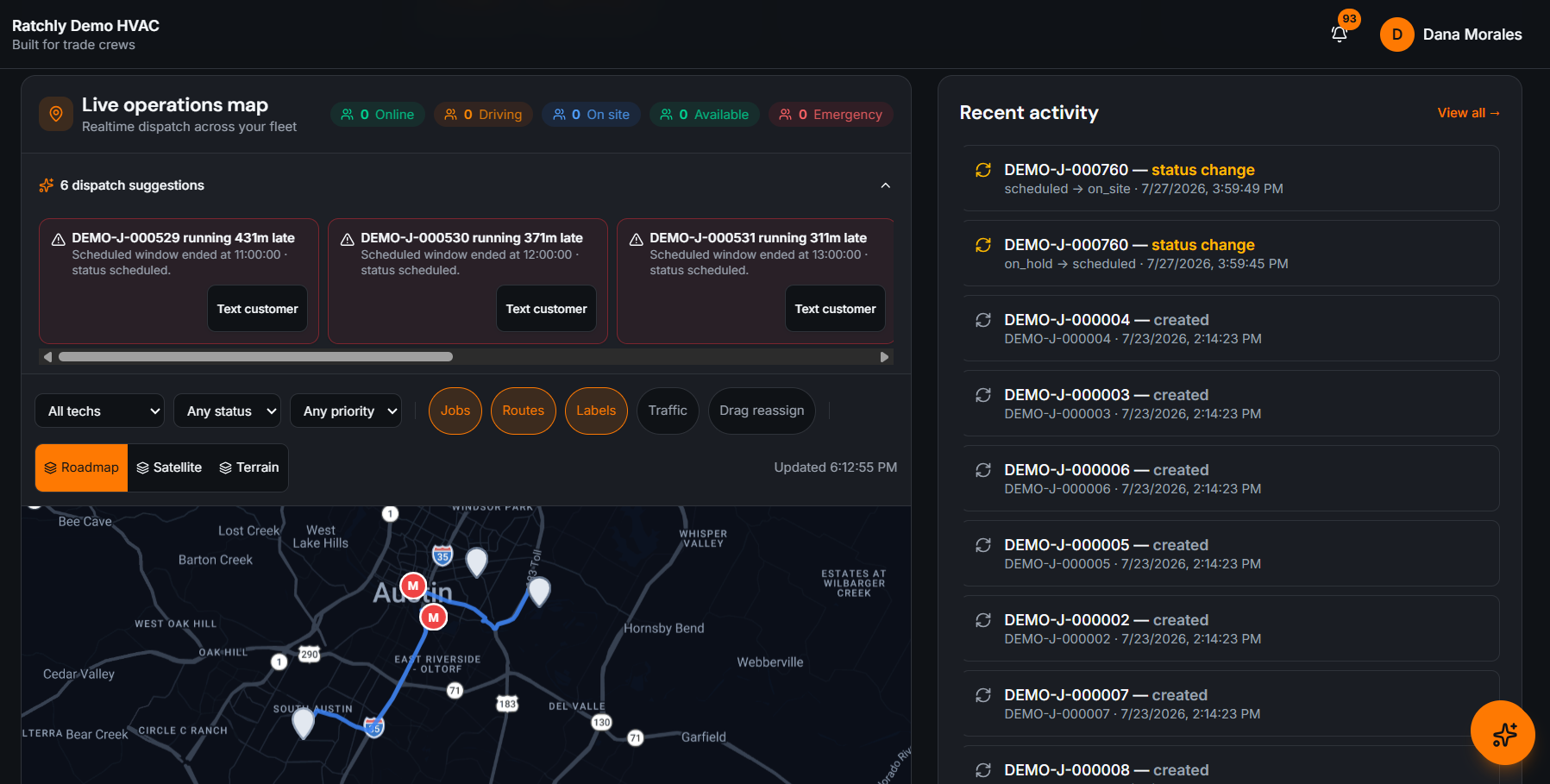
Live technician map
Locations update while techs are on the clock, clustered so a busy city is still readable.
Drag-to-reassign
Move a job onto a different tech from the map or the board — one action, everything updates.
Customer ETA links
Send a tracking link so the homeowner can watch the truck approach instead of calling you.
Stuck-job alerts
Jobs that sit in one status too long surface on the dashboard before they become complaints.
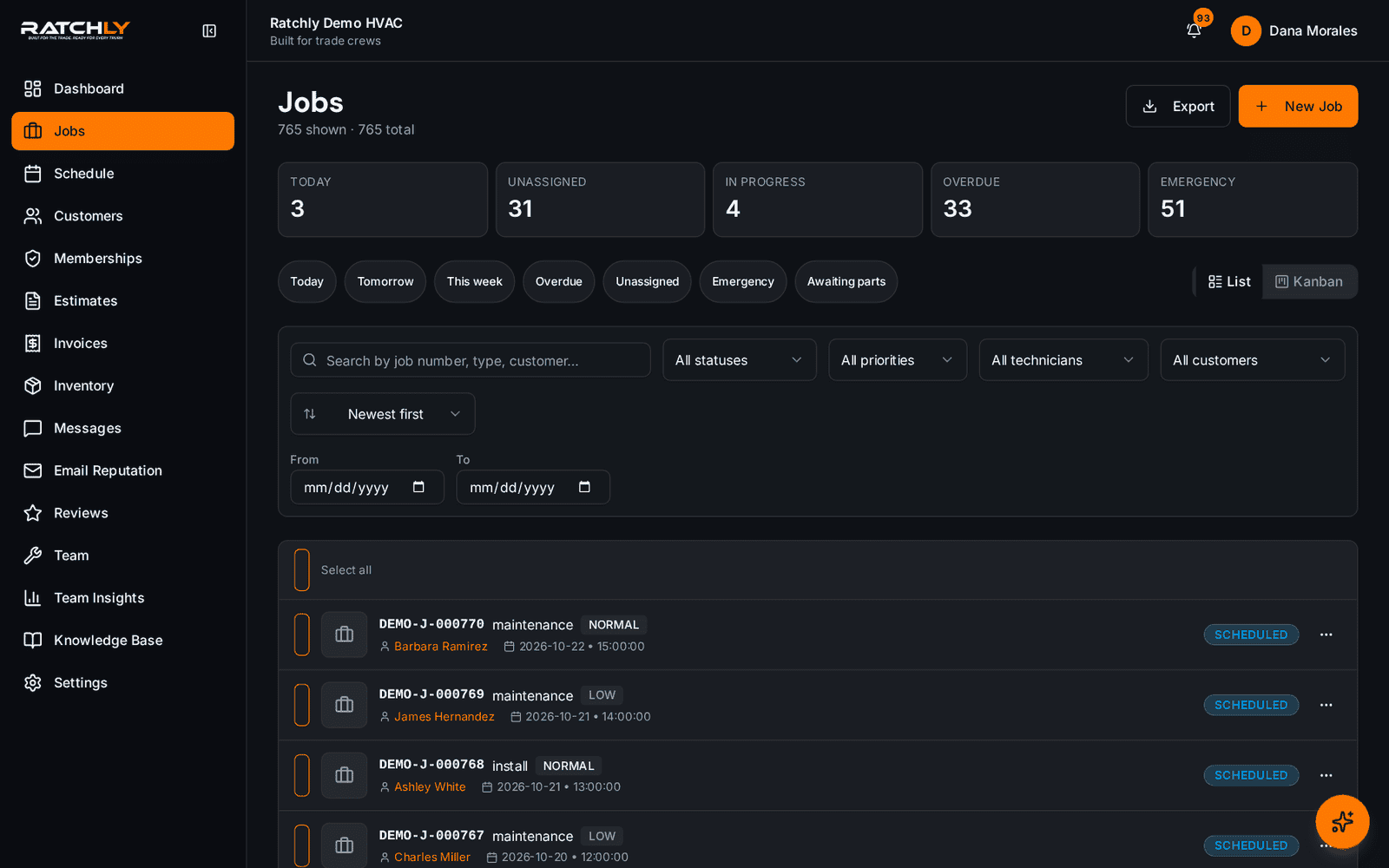
The board the dispatcher lives on
Every job, every status, filterable by tech — with unassigned work called out.
Live map of the crew
See who is closest to the emergency call before you commit to a window.
Taking an emergency no-heat call
- 1Create the job while the customer is still on the phone.
- 2The map shows techs within range, sorted by ETA.
- 3Assign the closest qualified tech and quote that window with confidence.
- 4The customer receives a tracking link; the tech's phone shows the new stop.
What it changes for your shop.
- Commit to real arrival windows on the first call
- Cut inbound 'where are they?' calls
- Route emergencies to the closest qualified tech, not the loudest phone
- Catch stalled jobs the same day
Where shops use it
Two-dispatcher office in peak season
Both see the same live board, so nobody double-assigns a technician.
Owner dispatching from the field
The map and board work on a phone, so you can reassign between your own calls.
After-hours on-call rotation
Assign the on-call tech and share the ETA link so the customer is not left guessing at 11pm.
HVAC Dispatch Software — questions we get asked.
What is HVAC dispatch software?
It is the tool the office uses to assign service calls to technicians and track them through the day — usually a status board plus a live map, so assignment decisions are based on current location, workload and skill rather than a phone call.
How does technician location tracking work?
Technicians share location from their phone while they are on the clock. It powers ETAs and the customer tracking link, and it can be turned off per technician.
Can customers see the technician on the way?
Yes. The tracking link shows the approaching technician and estimated arrival, which is the single biggest reduction in inbound calls most shops see.
Does dispatch work on a phone?
Yes — the map, board and reassignment all work on mobile, so an owner-operator can dispatch between their own service calls.
Keep reading
HVAC Business Management Software
One system for the whole job: book it, dispatch it, quote it, invoice it, get paid, and ask for the review — without a single spreadsheet.
Read moreSchedulingHVAC Scheduling Software
A board you can drag, a booking flow that knows where the truck already is, and confirmations the customer actually receives.
Read moreEfficiencyHVAC Route Optimization
Group the day by area, order the stops by real drive time, and re-sequence when an emergency lands — without rebuilding the board.
Read moreFieldHVAC Technician App
Techs open a link, add it to the home screen, and have their day, their jobs, their checklists and payment collection in one place.
Read moreLooking at the bigger picture? See how hvac business management software ties the whole service cycle together.