A service call is not one event. It is a diagnosis, a conversation about options, parts, sometimes a return visit, and a bill. Job management software is what keeps those pieces attached to each other so a second technician arriving next season can see exactly what happened last time.
Ratchly organizes everything around the job record: the unit that was serviced, what the technician found, which parts were pulled, what refrigerant was added, what was quoted, what was approved and what was billed.
Nobody can reconstruct what happened on the last visit.
When notes live on paper, photos live on personal phones and parts live in a supplier receipt, history is effectively gone the moment the tech leaves.
- No equipment history, so the same diagnosis gets repeated
- Warranty claims fail because the parts record is missing
- Refrigerant usage is not logged anywhere consistent
- Return visits start from scratch
- Work that was performed is not what gets billed
One record, from the first call to the closed invoice.
Every action — status change, note, photo, part, checklist item, estimate, signature, payment — is stamped on the job. The history is a byproduct of doing the work, not extra admin.
Equipment and unit history
Jobs attach to the specific unit, so the next visit opens with the last one in view.
Checklists per job type
Standard maintenance and diagnostic checklists keep quality consistent across techs.
Parts and refrigerant logging
Recorded on site, carried onto the invoice, available for warranty and compliance records.
Status timeline
Scheduled, en route, on site, complete — with timestamps you can audit later.
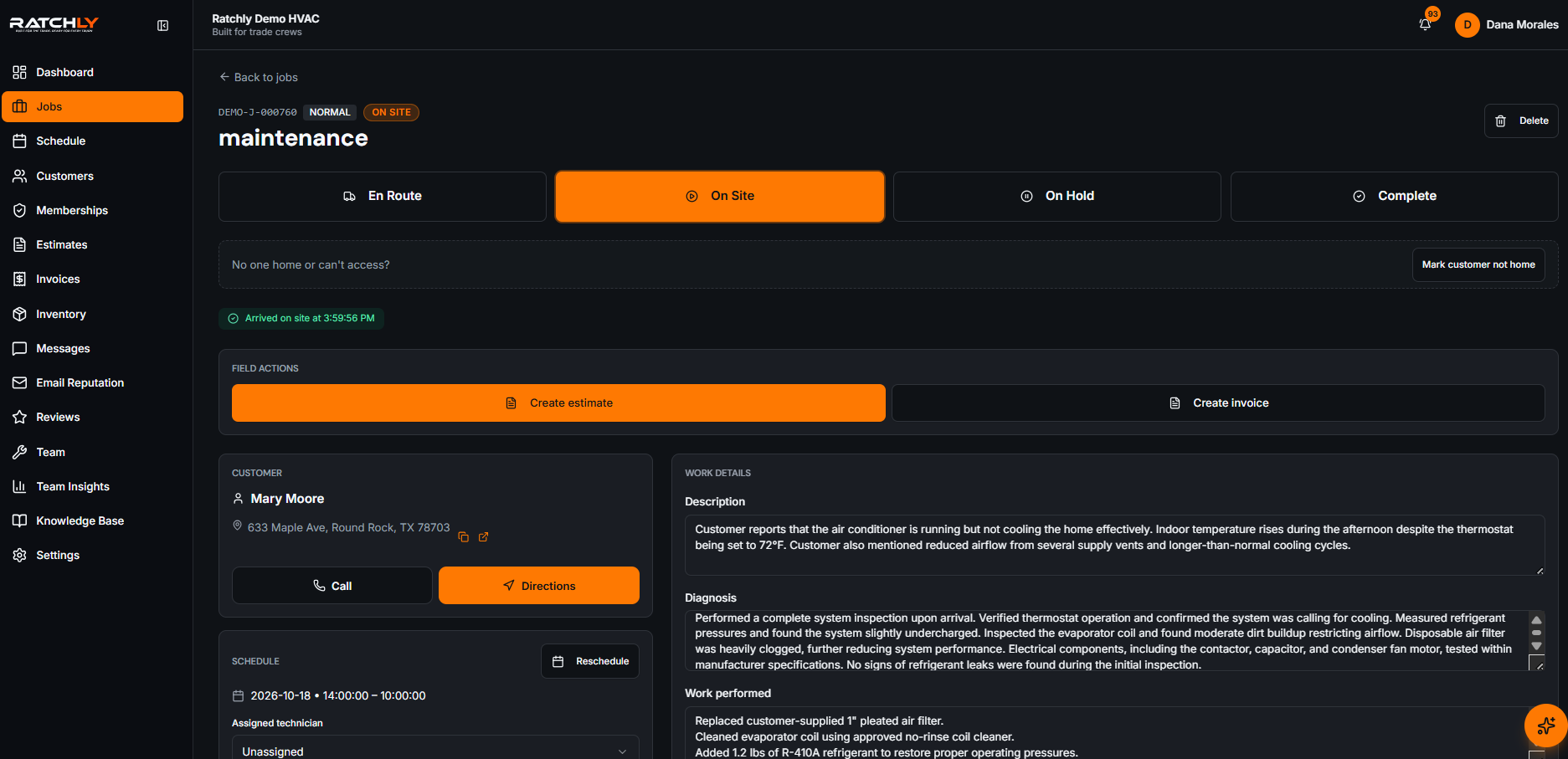
The job record
Everything about this call in one scroll: customer, unit, notes, photos, parts, money.
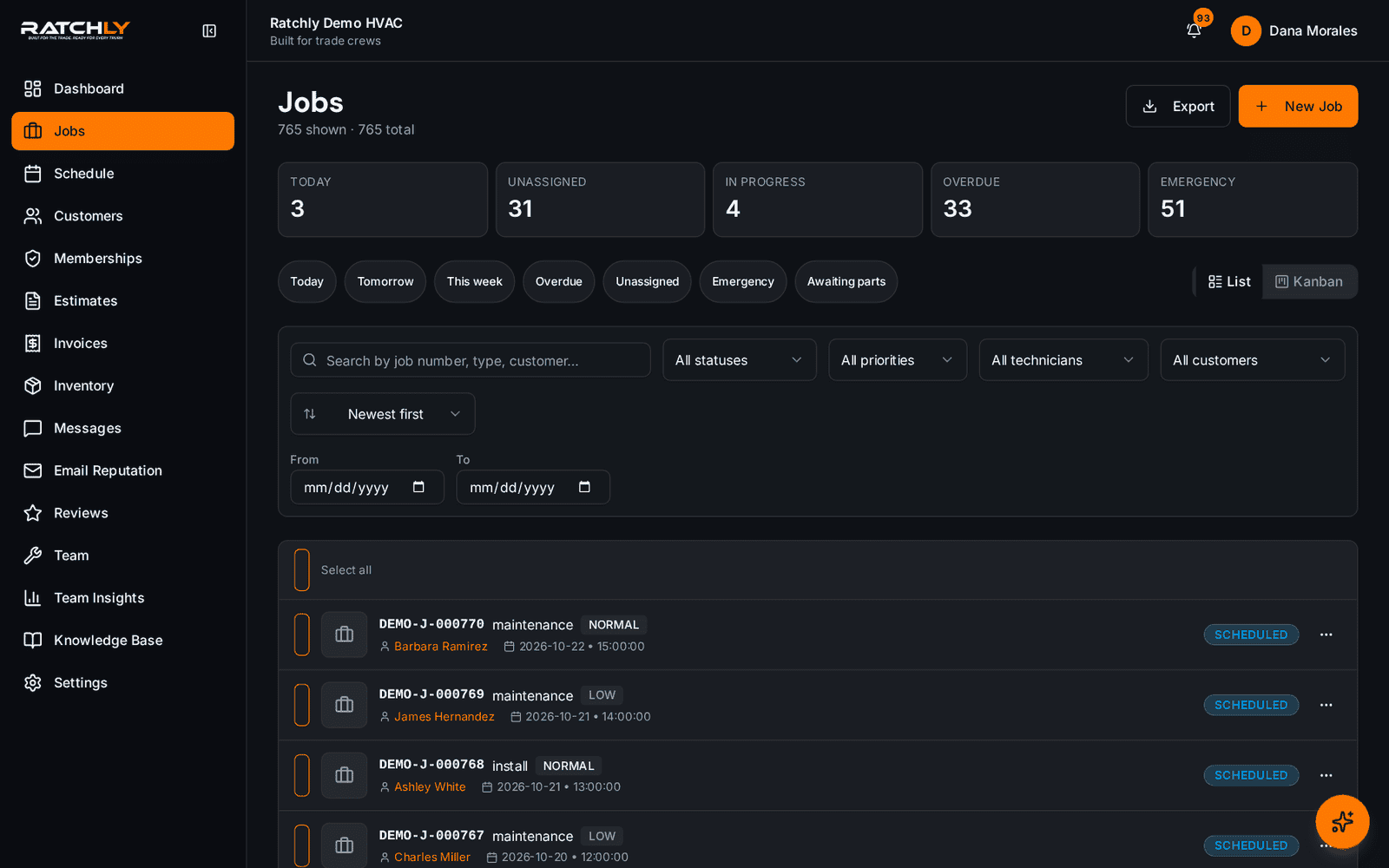
The job board
All open work by status, so nothing sits unassigned or half-finished.
A maintenance visit that finds a problem
- 1Tech works the maintenance checklist against the unit.
- 2Finds a failing capacitor, photographs it and logs the finding.
- 3Builds a repair estimate on the same job; customer approves on site.
- 4Part is logged, invoice is generated, and the unit history now shows both.
What it changes for your shop.
- Second visits start informed instead of blind
- Warranty and refrigerant records exist without extra paperwork
- Billing matches the work that was actually performed
- New techs inherit the shop's standard process through checklists
Where shops use it
Multi-unit properties
Track each unit separately so a property's history is not one undifferentiated pile.
Warranty-heavy install work
Serial numbers, install dates and parts stay attached to the equipment record.
Shops with rotating techs
Whoever shows up next has the same context the last tech had.
HVAC Job Management Software — questions we get asked.
How do HVAC companies track service calls?
The reliable pattern is one record per call, attached to a specific piece of equipment, that carries status, technician notes, photos, parts, the estimate and the invoice. Anything split across separate tools eventually loses history at the handoff.
Can I build my own checklists?
Yes. Ratchly ships standard HVAC checklists you can edit, and you can create your own per job type — with a restore-to-default option if you want to start over.
Is refrigerant usage tracked?
Yes, logged against the job and the unit, which is what you need when someone asks for the record later.
Can I see the full history for one piece of equipment?
Yes — open the unit and you see every job performed on it, in order, with the notes and parts from each visit.
Keep reading
HVAC Business Management Software
One system for the whole job: book it, dispatch it, quote it, invoice it, get paid, and ask for the review — without a single spreadsheet.
Read moreSchedulingHVAC Scheduling Software
A board you can drag, a booking flow that knows where the truck already is, and confirmations the customer actually receives.
Read moreFieldHVAC Technician App
Techs open a link, add it to the home screen, and have their day, their jobs, their checklists and payment collection in one place.
Read moreLooking at the bigger picture? See how hvac business management software ties the whole service cycle together.