Estimates are where an HVAC shop's revenue is decided. The same diagnosis presented as a single number closes far less often than the same work presented as three clear options — and an estimate that has to be typed up back at the office usually closes days later, if at all.
Ratchly lets the technician build the option list on site, hand the phone or a QR link to the homeowner, capture a legally recorded signature, and convert the approved option straight into an invoice.
The quote goes out two days after the diagnosis.
By the time the estimate arrives, the customer has called someone else — or forgotten what the technician actually explained at the unit.
- Quotes are typed up at night from scribbled notes
- One take-it-or-leave-it price instead of options
- No record of what the customer actually approved
- Approved estimates sit unconverted for a week
- Follow-up on open quotes is inconsistent
Present, sign and convert without leaving the site.
Build the estimate against the job, show the customer the difference between repair and replace, capture the signature, and convert the approved option to an invoice immediately.
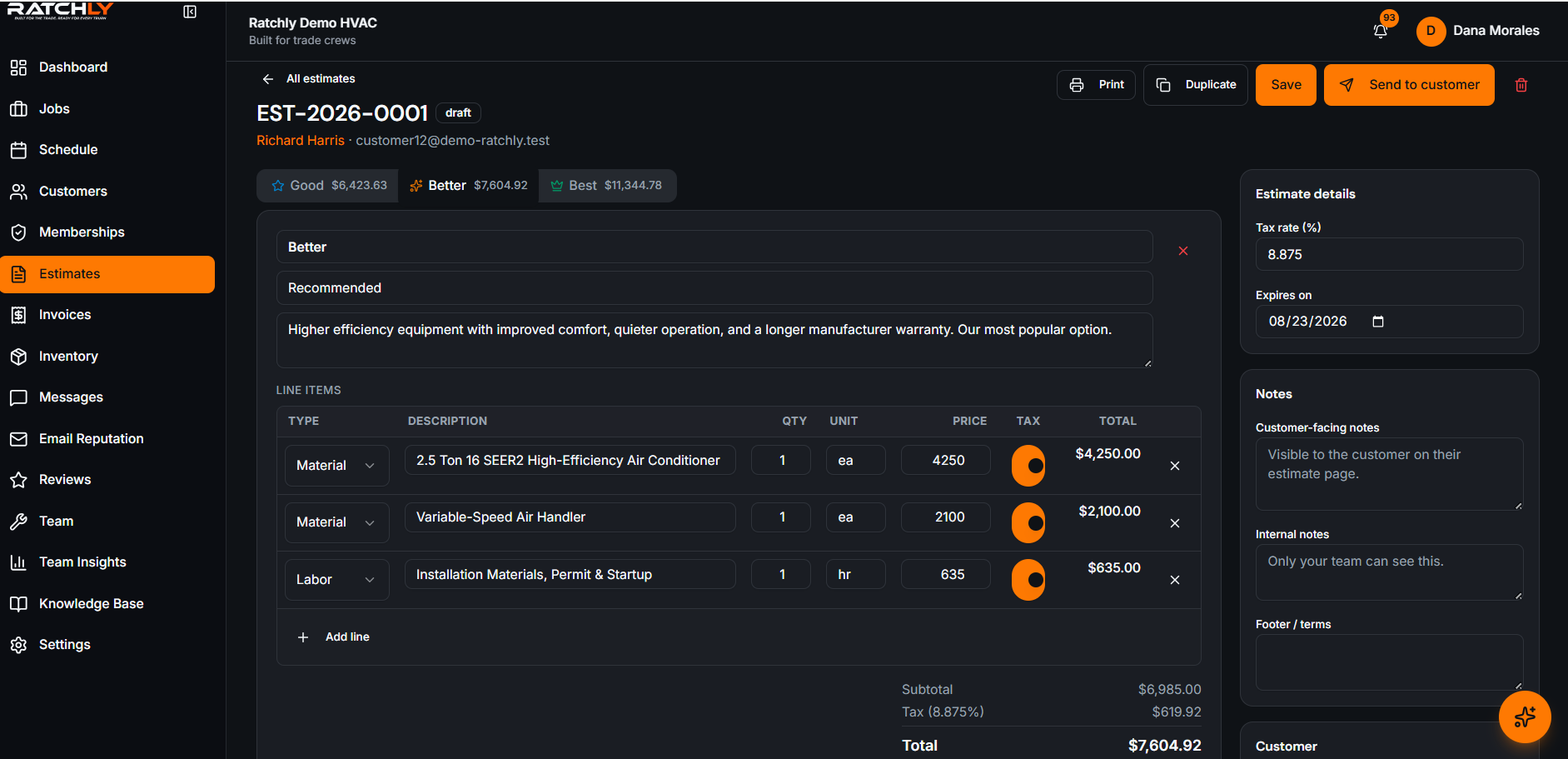
Good / better / best options
Present tiers side by side so the customer chooses between yeses.
Signature capture
Signed on the customer's own phone or the tech's device, stored against the estimate.
QR handoff
Show a QR code and the homeowner opens the estimate on their own screen to review and sign.
One-tap conversion
Approved estimate becomes an invoice with the same line items — nothing retyped.
The estimate pipeline
Draft, sent, approved and declined — so open quotes get chased before they go cold.
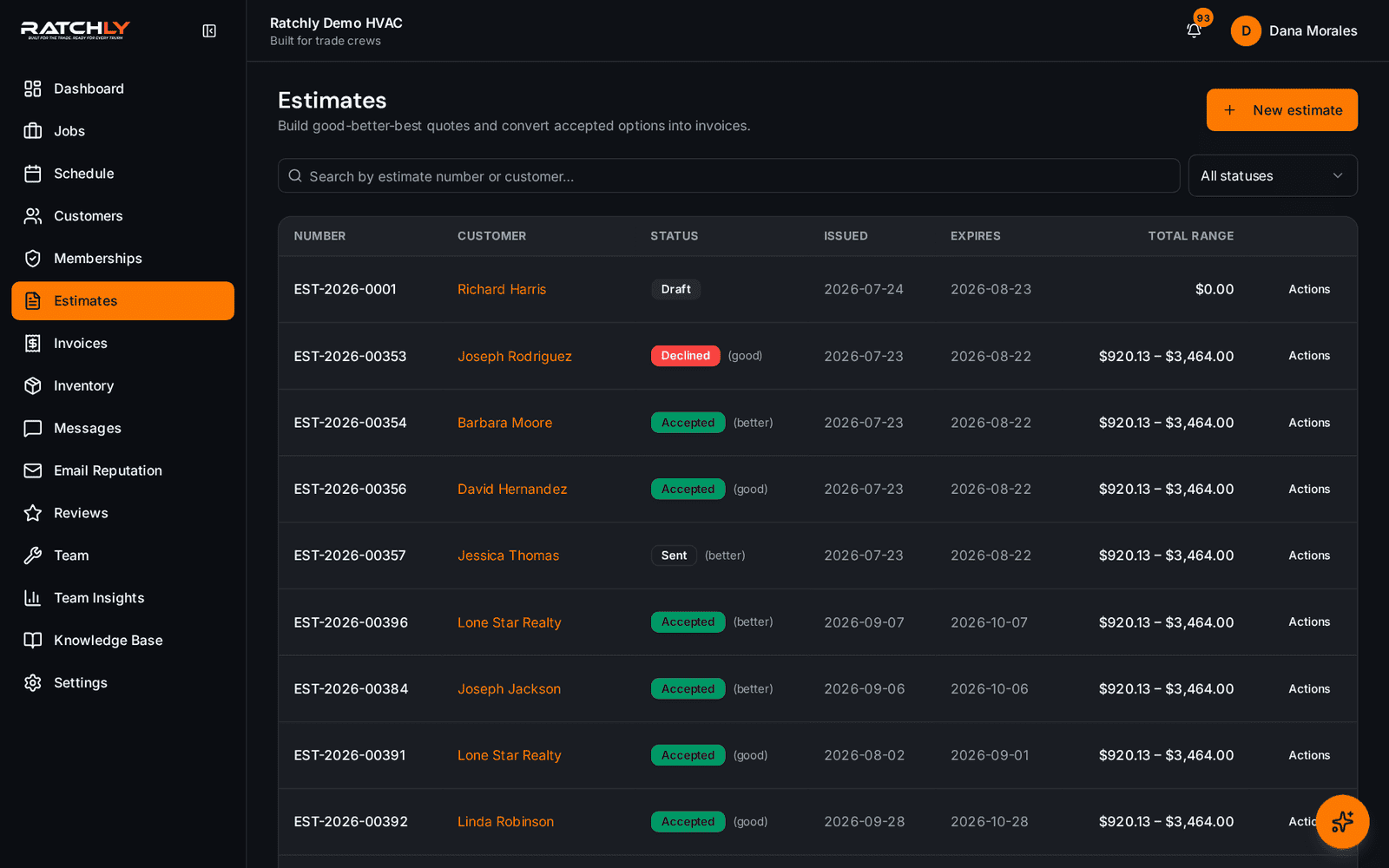
The estimate the customer sees
Clear scope, itemized options and a signature block on their own phone.
Diagnose, quote, close
- 1Tech diagnoses and logs findings and photos against the job.
- 2Builds repair / repair-plus / replace options from the price book.
- 3Homeowner opens the estimate by QR and signs the option they want.
- 4Approved estimate converts to an invoice; payment is taken on site.
What it changes for your shop.
- Close more work on the first visit
- Present replacement options without an office trip
- Keep a clear record of exactly what was approved
- Stop losing approved work in the gap before invoicing
Where shops use it
Repair versus replace conversations
Show the cost of the repair next to a new system so the homeowner can decide with real numbers.
Multi-unit commercial quotes
Itemize per unit so the customer can approve part of the scope now and the rest later.
Flat-rate shops
Pull from a flat-rate price book so pricing is identical no matter which tech quotes it.
HVAC Estimate Software — questions we get asked.
Can the customer sign the estimate on their own phone?
Yes. The technician shows a QR code, the homeowner opens the estimate on their own device, reviews the options and signs there.
Does an approved estimate become an invoice automatically?
It converts in one tap, carrying the approved option's line items across. Nothing is retyped, so the invoice always matches what was agreed.
Can I offer multiple pricing options?
Yes — good/better/best tiers are the default presentation, which is the format most shops find closes best on replacement work.
Is the signature legally usable?
The signature is stored with a timestamp against the specific estimate version the customer approved, which is what a dispute normally turns on.
Keep reading
HVAC Business Management Software
One system for the whole job: book it, dispatch it, quote it, invoice it, get paid, and ask for the review — without a single spreadsheet.
Read moreInvoicing & paymentsHVAC Invoice Software
The invoice is built from the job — parts, labor, refrigerant, agreement discount — and paid at the kitchen table.
Read moreFieldHVAC Technician App
Techs open a link, add it to the home screen, and have their day, their jobs, their checklists and payment collection in one place.
Read moreLooking at the bigger picture? See how hvac business management software ties the whole service cycle together.