For a small HVAC shop, invoicing speed is cash flow. The gap between finishing the work and sending the bill is where margin quietly disappears: forgotten parts, unbilled refrigerant, and invoices that go out on Sunday night for work performed nine days ago.
Ratchly builds the invoice out of the job record itself, so what the technician logged on site is what the customer is billed for. Payment can be taken immediately by card or ACH, and anything left unpaid follows up on its own.
Work performed on Tuesday gets billed the following weekend.
When invoicing is a separate evening task, line items get reconstructed from memory and the follow-up never happens consistently.
- Parts and refrigerant used on site never make it onto the bill
- Invoices go out days late, so they get paid weeks late
- Nobody is tracking which invoices are aging
- Follow-up depends on somebody feeling awkward enough to call
- Agreement discounts are applied inconsistently
The job writes the invoice.
Parts pulled, labor time, refrigerant logged and membership pricing come across automatically. The technician reviews, the customer pays, and the record closes on site.
Built from the job record
No retyping — what was logged on site becomes the line items.
Card and ACH on site
Take payment at the kitchen table or send a payment link the customer can use later.
Automatic follow-up
Unpaid invoices are chased on a schedule instead of when someone remembers.
Typed line items
Labor, material, service fee, diagnostic fee and trip charge each carry the right unit and tax behavior.
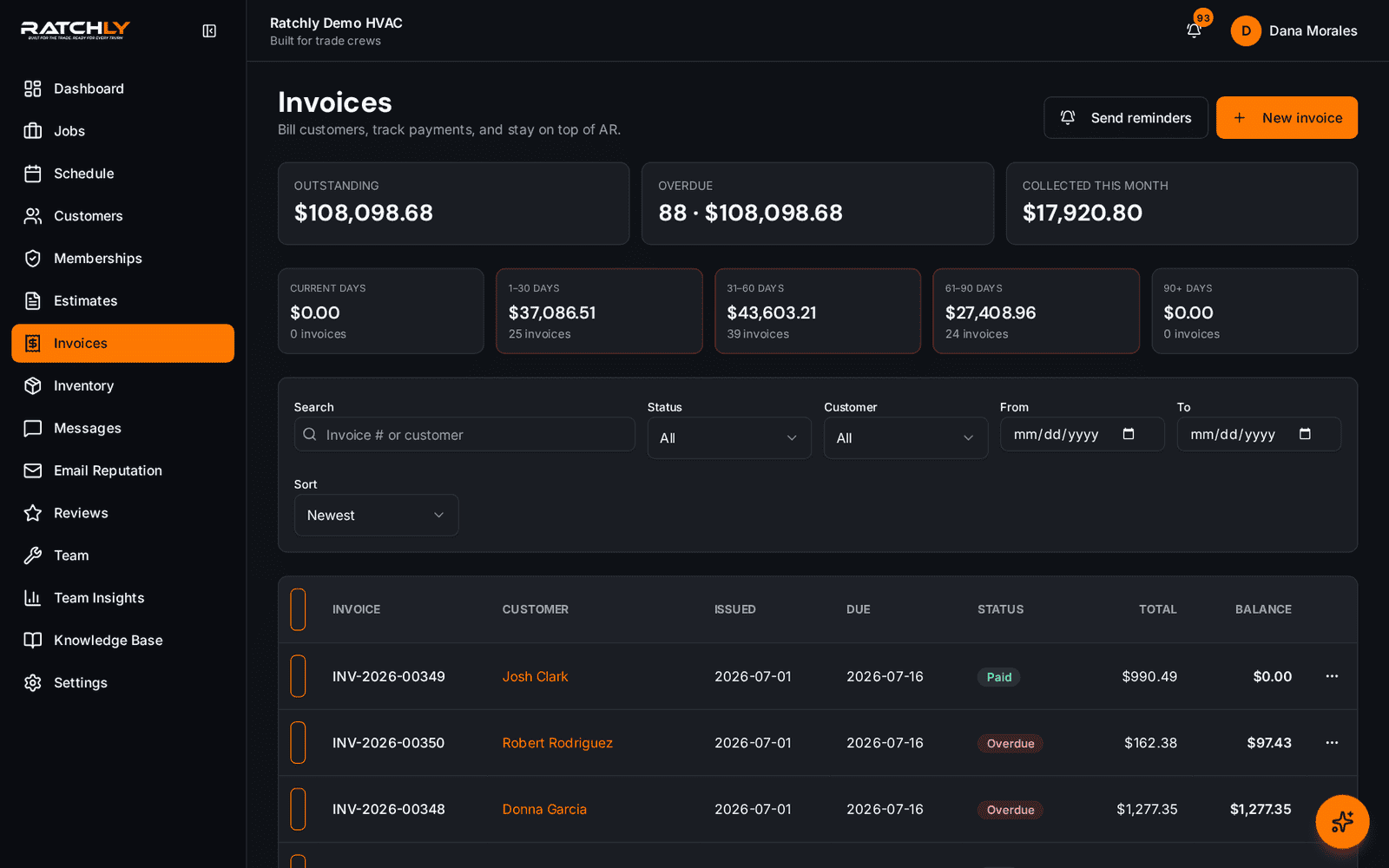
Every invoice, by status
Draft, sent, overdue and paid in one list, so aging is visible without a report.
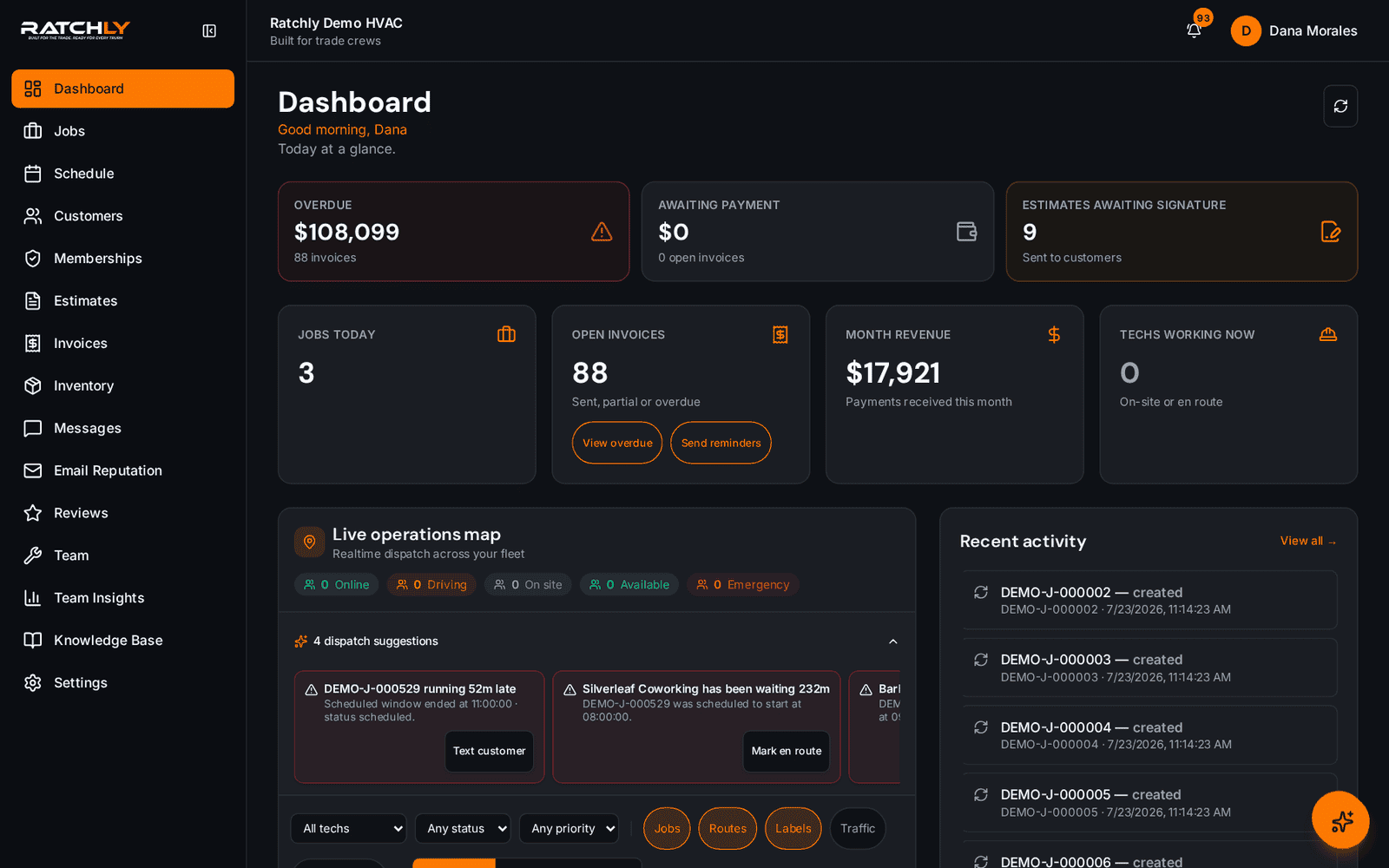
Money at risk on the dashboard
Unsigned estimates and aging invoices sit on the home screen and link straight to the filtered list.
From completed repair to cleared payment
- 1Tech logs parts, refrigerant and time against the job.
- 2Approved estimate converts to an invoice with those line items already in place.
- 3Customer pays by card or ACH on the phone in front of them.
- 4Anything unpaid is followed up automatically until it clears.
What it changes for your shop.
- Bill the same day instead of the next weekend
- Stop losing parts and refrigerant off the invoice
- See aging without exporting anything
- Fewer awkward collection calls
Where shops use it
Residential service calls
Invoice and payment happen before the technician gets back in the truck.
Commercial accounts on terms
Send the invoice with a payment link and let automatic reminders handle the chase.
Maintenance agreement members
Agreement pricing applies automatically, so member discounts are never applied by hand.
HVAC Invoice Software — questions we get asked.
Can HVAC software automate invoice follow-ups?
Yes. Ratchly sends reminders on unpaid invoices on a schedule you set, and stops as soon as payment clears — so collections do not depend on someone remembering.
Can technicians take payment in the field?
Yes, by card or ACH from the technician's phone, or by sending the customer a payment link they can open later.
Does it replace my accounting software?
No. Ratchly produces and collects the invoice; your accounting product still keeps the books. Data can be exported for reconciliation.
How are trip charges and diagnostic fees handled?
They are first-class line item types with their own units, so a diagnostic fee is never accidentally billed as an hour of labor.
Keep reading
HVAC Business Management Software
One system for the whole job: book it, dispatch it, quote it, invoice it, get paid, and ask for the review — without a single spreadsheet.
Read moreEstimatesHVAC Estimate Software
Good, better, best on the tech's phone. Customer signs on their own screen. Approved estimate becomes an invoice in one tap.
Read moreRecurring revenueHVAC Service Contract Software
Agreements generate their own maintenance visits, apply member pricing automatically and flag renewals before they lapse.
Read moreLooking at the bigger picture? See how hvac business management software ties the whole service cycle together.