The old way: 6 apps and a paper folder.
Booking in Google Calendar. Notes in a text thread. Photos on the tech's camera roll. Invoice in QuickBooks. When something breaks, you can't reconstruct what happened.
- Photos and notes stranded on personal phones
- No single view of a job's lifecycle
- Invoicing means re-typing everything from memory
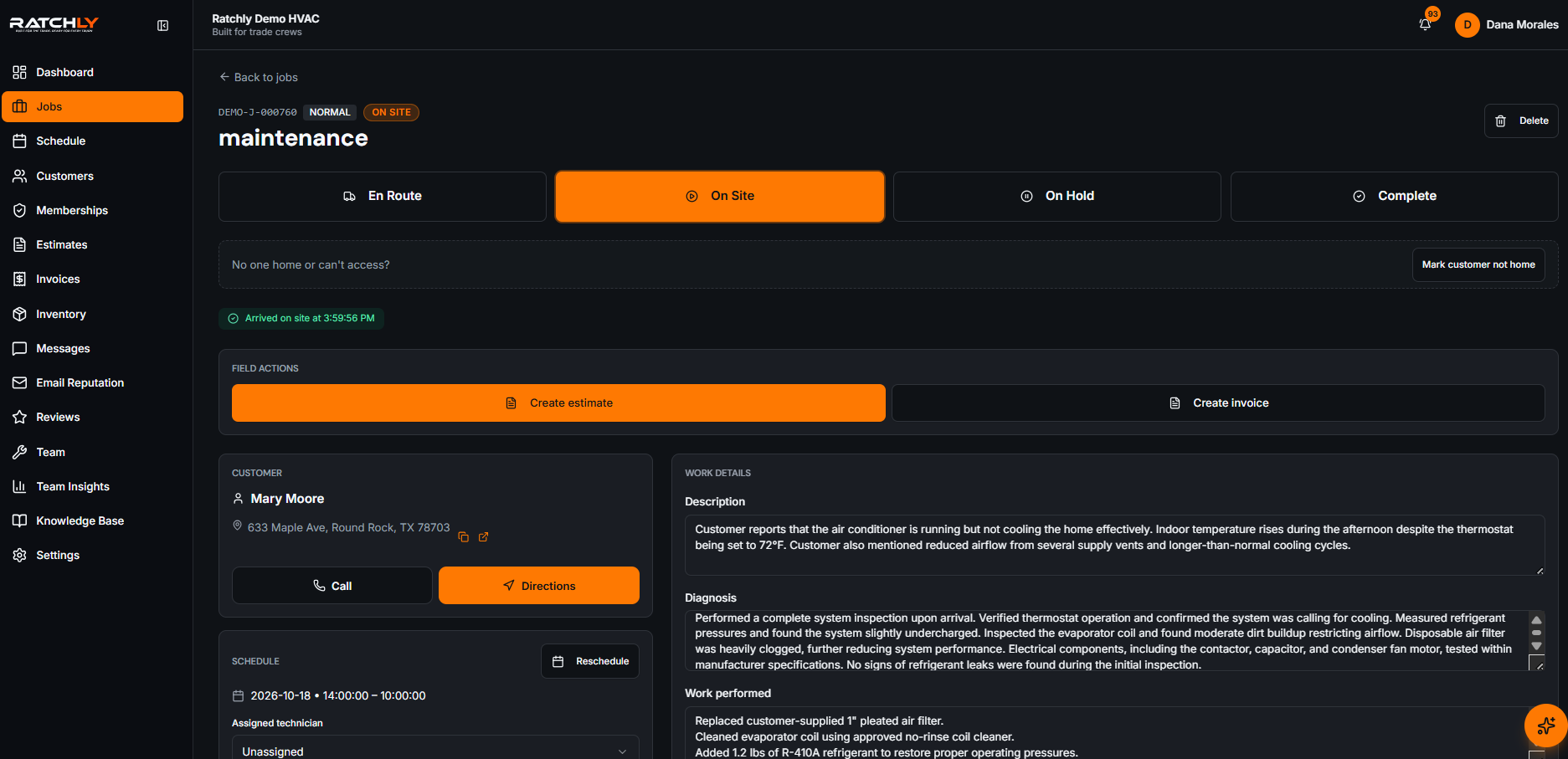
One job = one page = one source of truth.
Open a job and you see the customer, unit, address, status, tech notes, photos, checklist, parts used, estimate, and invoice — all in one scrollable page.
Full job lifecycle
Booked → dispatched → en route → on site → complete → invoiced → paid.
Photos + notes from the truck
Techs snap and type from the mobile app; office sees it instantly.
Checklist templates by service type
Maintenance, install, and diagnostic checklists built in — customize anytime.
One-tap convert to invoice
Completed jobs become sent invoices in one action.
See it in the real product.
Every screenshot below is a live capture from a Ratchly account — not a mockup.
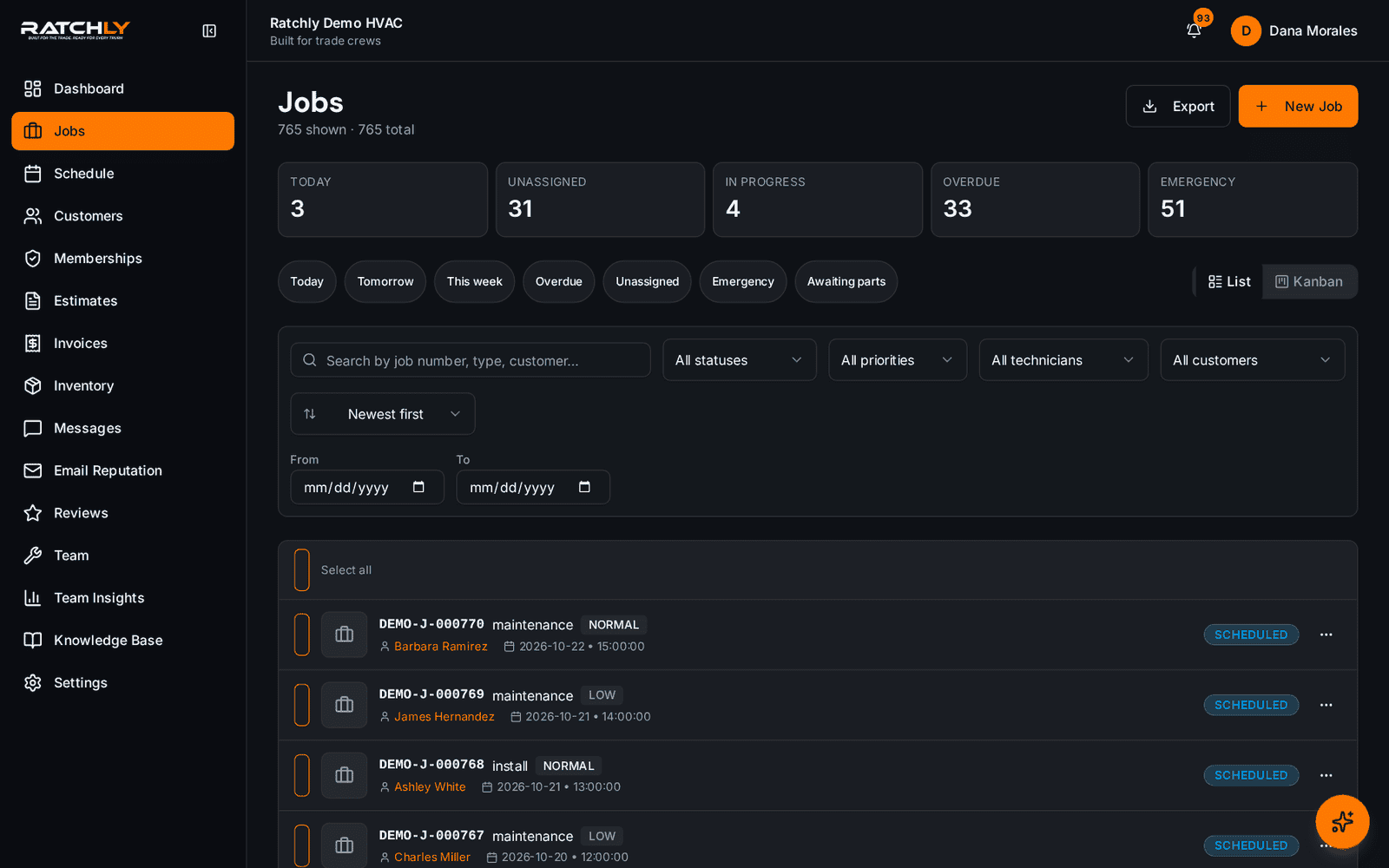
The jobs list
Filter by status, tech, date, or service line. Bulk-reassign, bulk-close, bulk-invoice.
Inside a single job
Everything about this job — customer, equipment, notes, photos, invoice — in one page.
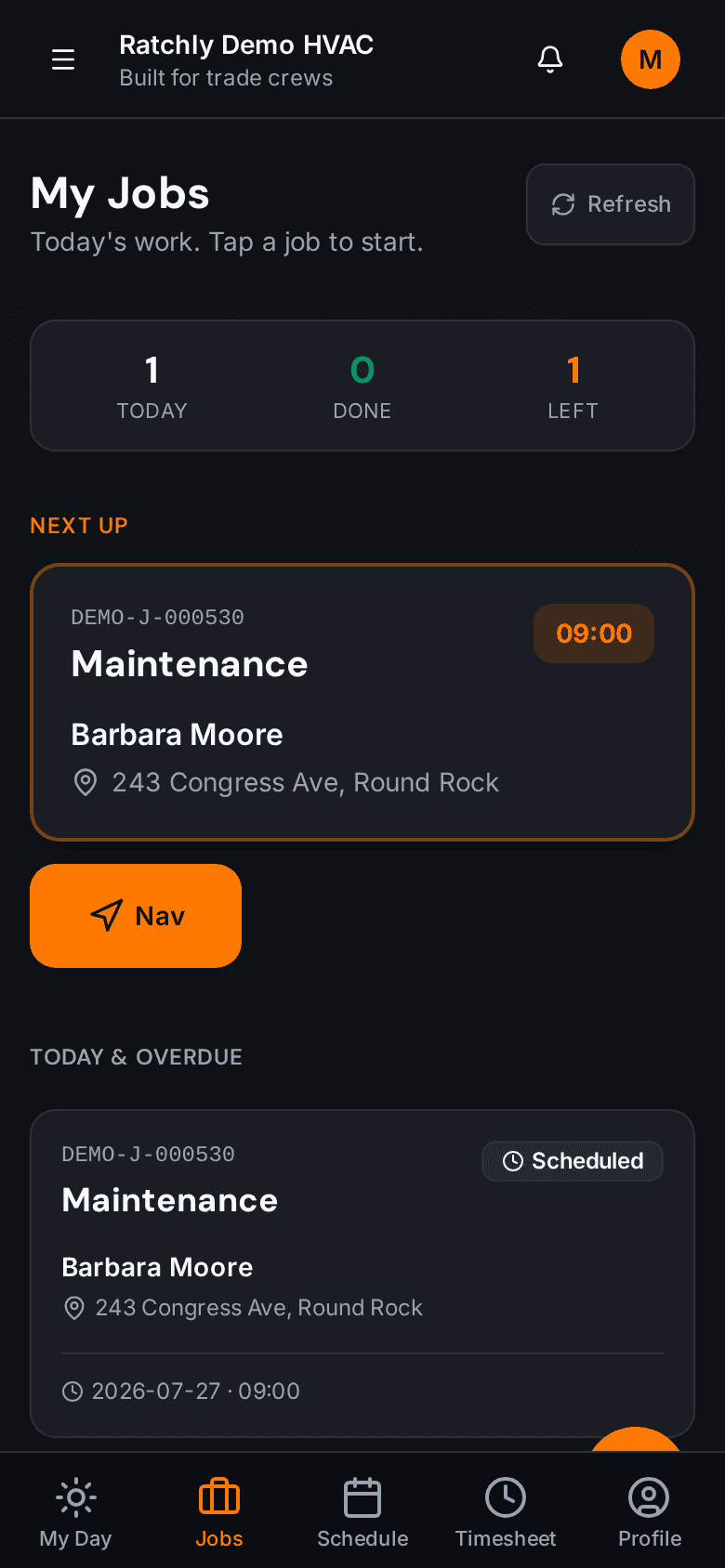
On the tech's phone
Techs open, update, and complete jobs from a mobile-first interface.
What it means for your shop.
- Eliminate 3 – 5 disconnected apps
- Cut invoice-creation time by 80%
- Rebuild any job's history in seconds for disputes and warranty claims
Job Management — quick answers.
Does it work offline?
Yes. Techs can update jobs offline; changes sync when the phone is back on data.
Can I import jobs from another system?
Yes. CSV import handles jobs, customers, and equipment records. Our team helps for free during onboarding.
Related features
Work Orders
Techs fill work orders on their phone — signatures, photos, parts, and time — then the office invoices in one tap.
Learn about Work OrdersOperationsEstimates
Good / Better / Best on one page, sent by SMS, signed on the customer's phone, converted to an invoice the same afternoon.
Learn about EstimatesOperationsInvoices
One-tap invoicing from any completed job. Branded PDF, live payment link, automatic dunning.
Learn about Invoices