Drive time is the largest non-billable cost in a service business. A technician crossing town twice in one afternoon is an hour of paid time that produced no revenue, and it usually happens because the board was built by availability rather than geography.
Ratchly clusters work by area when the job is booked and orders each technician's day by actual drive time, then re-sequences when the day changes.
Two trucks pass each other on the same road.
Booking by 'who is free' instead of 'who is nearby' produces routes that look fine on a list and terrible on a map.
- Techs cross town between consecutive stops
- Emergency calls destroy an otherwise tight route
- Nobody sees the day as a map before it starts
- Arrival windows are padded to absorb the driving
- Fuel and overtime creep without an obvious cause
Plan the day as a route, not a list.
Jobs cluster by service area at booking time, each technician's stops are ordered by drive time, and inserting an emergency re-sequences what is left instead of shifting everything blindly.
Area clustering at booking
New jobs are offered into the neighborhood a tech is already working.
Drive-time ordering
Stops sequenced by real travel time, not by the order they were booked.
Emergency re-sequencing
Insert an urgent call and the remaining stops reorder around it.
Navigation handoff
Techs open the next stop directly in their phone's maps app.
The day as a map
See the route before the truck rolls, and spot the stop that does not belong.
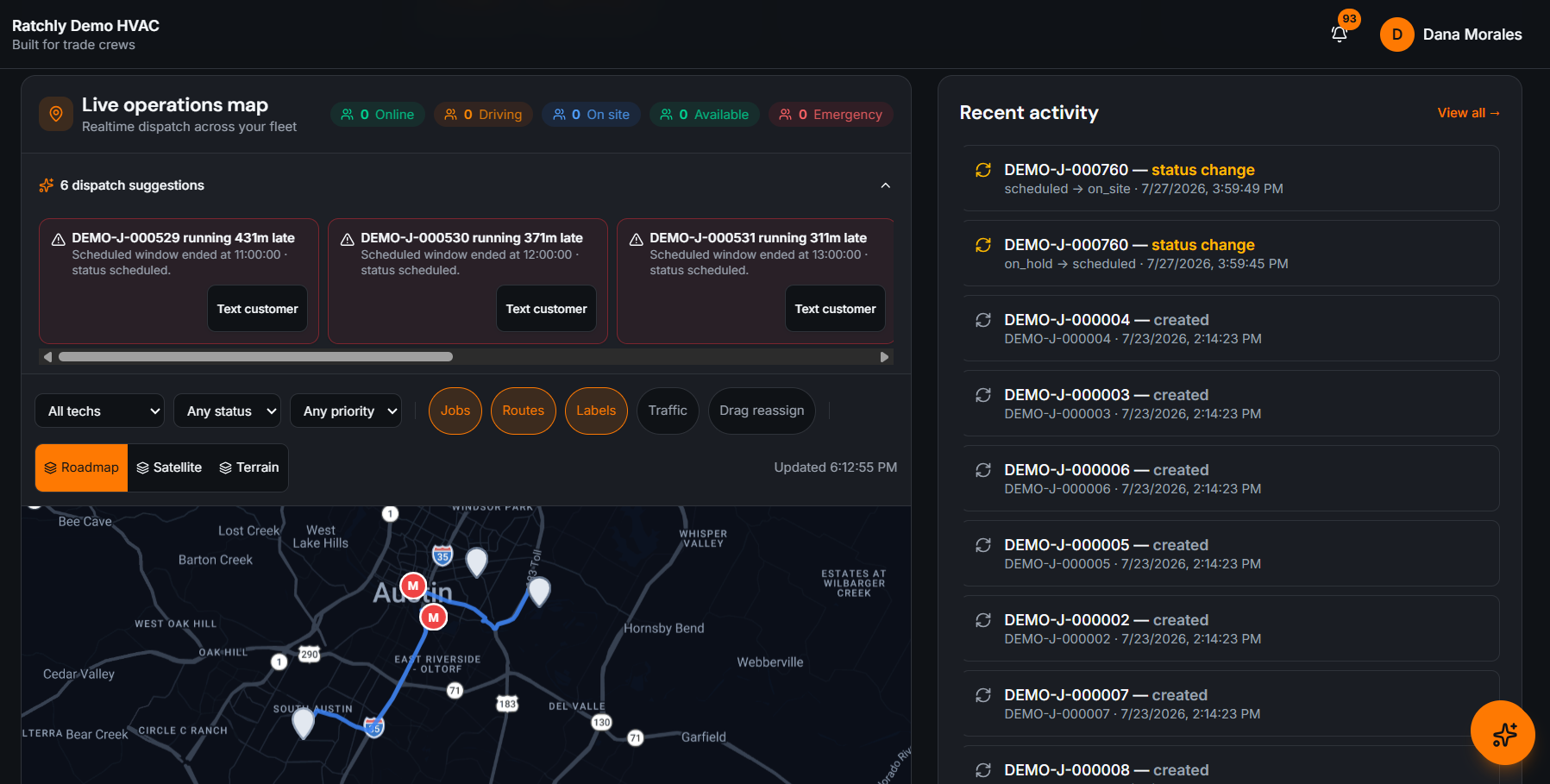
Board and map stay in sync
Reordering on the map updates the schedule and the technician's phone.
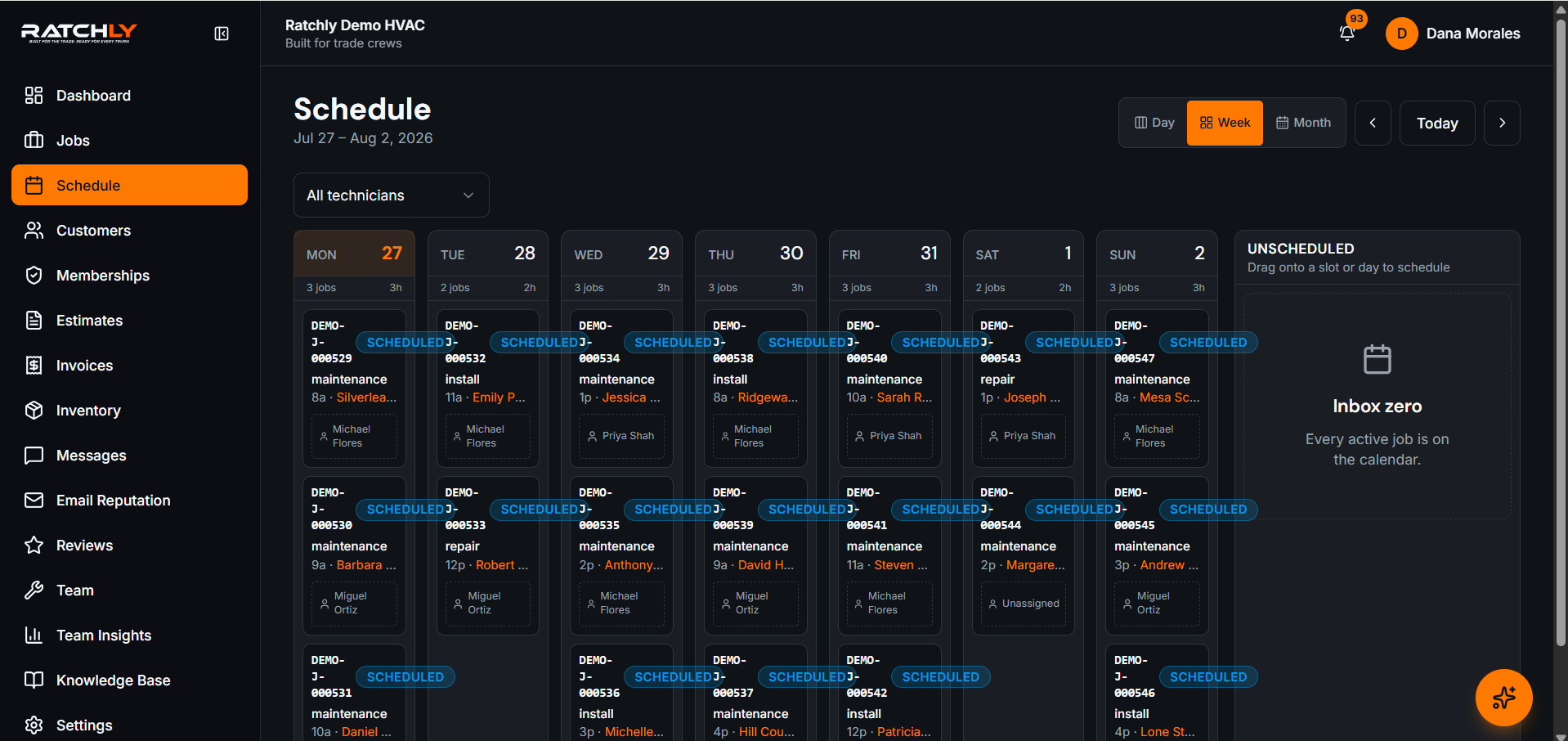
Building a tight Tuesday
- 1Book the day's calls; each is offered into an existing cluster.
- 2Review each tech's route on the map before dispatch.
- 3An emergency lands mid-morning; the nearest tech absorbs it and the rest reorder.
- 4Affected customers are re-notified automatically.
What it changes for your shop.
- Recover 30–60 minutes of driving per tech on a typical day
- Tighter arrival windows without more risk
- Lower fuel and overtime for the same job count
- Emergencies stop wrecking the rest of the route
Where shops use it
Wide rural service areas
Cluster by town so a distant call is not slotted between two local ones.
Dense urban routes
Order by real drive time, where distance and time diverge the most.
Maintenance season blitz
Batch agreement visits by neighborhood to maximize stops per day.
HVAC Route Optimization — questions we get asked.
How much drive time can route optimization actually save?
It depends on how dispersed your service area is. Shops that previously booked by availability usually recover somewhere between half an hour and an hour of driving per technician per day; shops that already cluster manually see less.
Can I override the suggested order?
Yes. Ratchly proposes a sequence, and you can drag stops into whatever order the day actually requires.
Does it work with emergency calls?
Yes — inserting an urgent job re-sequences the remaining stops rather than pushing everything back by a fixed amount.
Keep reading
HVAC Business Management Software
One system for the whole job: book it, dispatch it, quote it, invoice it, get paid, and ask for the review — without a single spreadsheet.
Read moreDispatchHVAC Dispatch Software
See where every tech is, what they are on, and who can take the next call — then reassign it by dragging it onto them.
Read moreSchedulingHVAC Scheduling Software
A board you can drag, a booking flow that knows where the truck already is, and confirmations the customer actually receives.
Read moreLooking at the bigger picture? See how hvac business management software ties the whole service cycle together.