Every reschedule shouldn't be a 10-tap ordeal.
Legacy field service software makes you open the job, click Edit, pick a new tech from a dropdown, save, close, and repeat. Meanwhile the customer's still on the phone.
- Rescheduling a single job takes half a minute in most apps
- The board doesn't update live when a tech marks 'on the way'
- You can't tell at a glance who's overbooked and who's idle
One motion. Job moved. Tech notified.
Grab a job card. Drop it on a different tech or time slot. That's it. Ratchly re-fires the customer SMS and pings the tech's phone in the same second.
Live status colors
Scheduled, en route, on site, complete — the card color changes the instant the tech taps.
Optimistic drag
Nothing waits on the server. The card lands where you drop it and the reassignment reconciles in the background.
Undo any move
Dropped in the wrong slot? Ctrl-Z. Everyone gets the corrected SMS automatically.
Traffic-aware windows
Google traffic overlays highlight when a slot won't actually work.
See it in the real product.
Every screenshot below is a live capture from a Ratchly account — not a mockup.
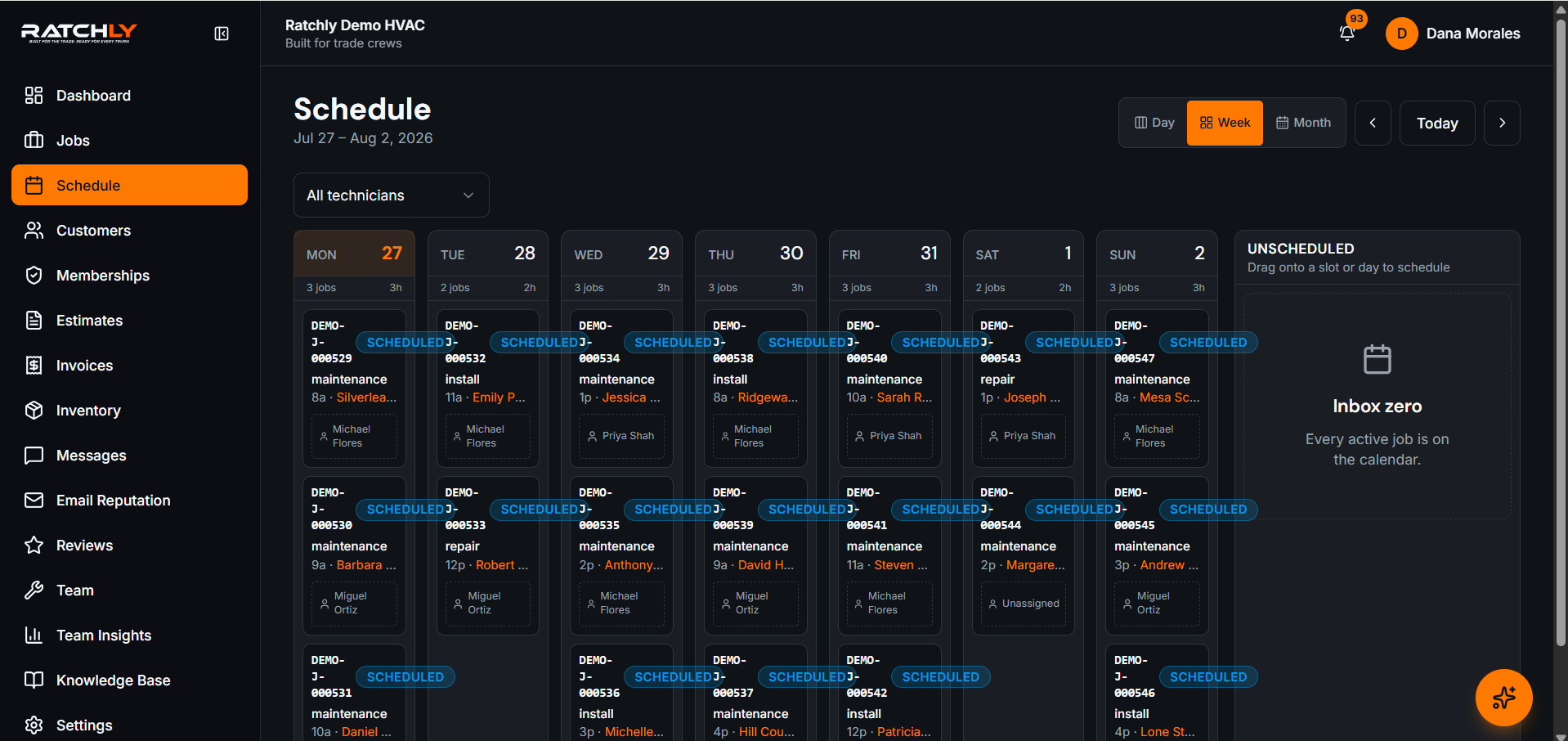
The full week at a glance
One row per tech. One column per day. Color-coded by status so you can see the crew in a single scan.
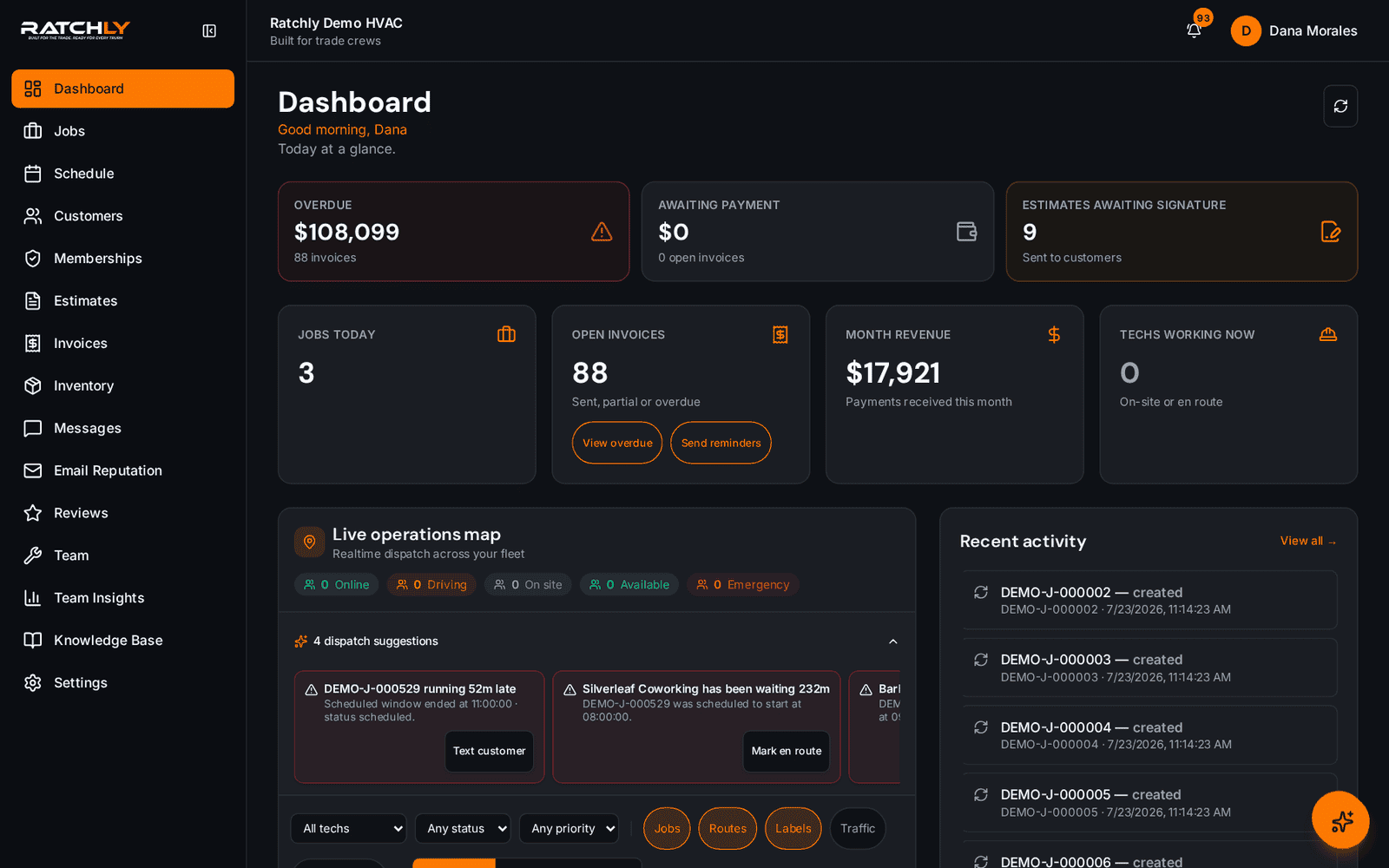
Live ops from the dashboard
The same schedule powers the live operations map on the owner dashboard.
What it means for your shop.
- Reschedule 3× faster than legacy field service apps
- Every drag notifies the tech and the customer
- No page reloads — the board is truly real-time
Drag & Drop Calendar — quick answers.
Does it work on a tablet?
Yes. Drag with your finger. Everything you can do with a mouse works with touch.
Can I lock a tech's schedule so nothing gets moved?
Yes. Roles control who can drag. Techs see their own day but can't move other techs' jobs.
Related features
Smart Scheduling
Ratchly groups jobs by neighborhood, skill, and drive time so your board fills itself instead of eating your morning.
Learn about Smart SchedulingSchedulingDispatch Board
Ratchly's live operations map is your dispatcher's command center — real-time locations, one-drag reassignment, and AI suggestions when a job's going sideways.
Learn about Dispatch BoardSchedulingLive Technician Tracking
Ratchly turns every tech's phone into a live pin on the map. Customers get on-the-way ETAs automatically.
Learn about Live Technician Tracking